Tag: hearing aids

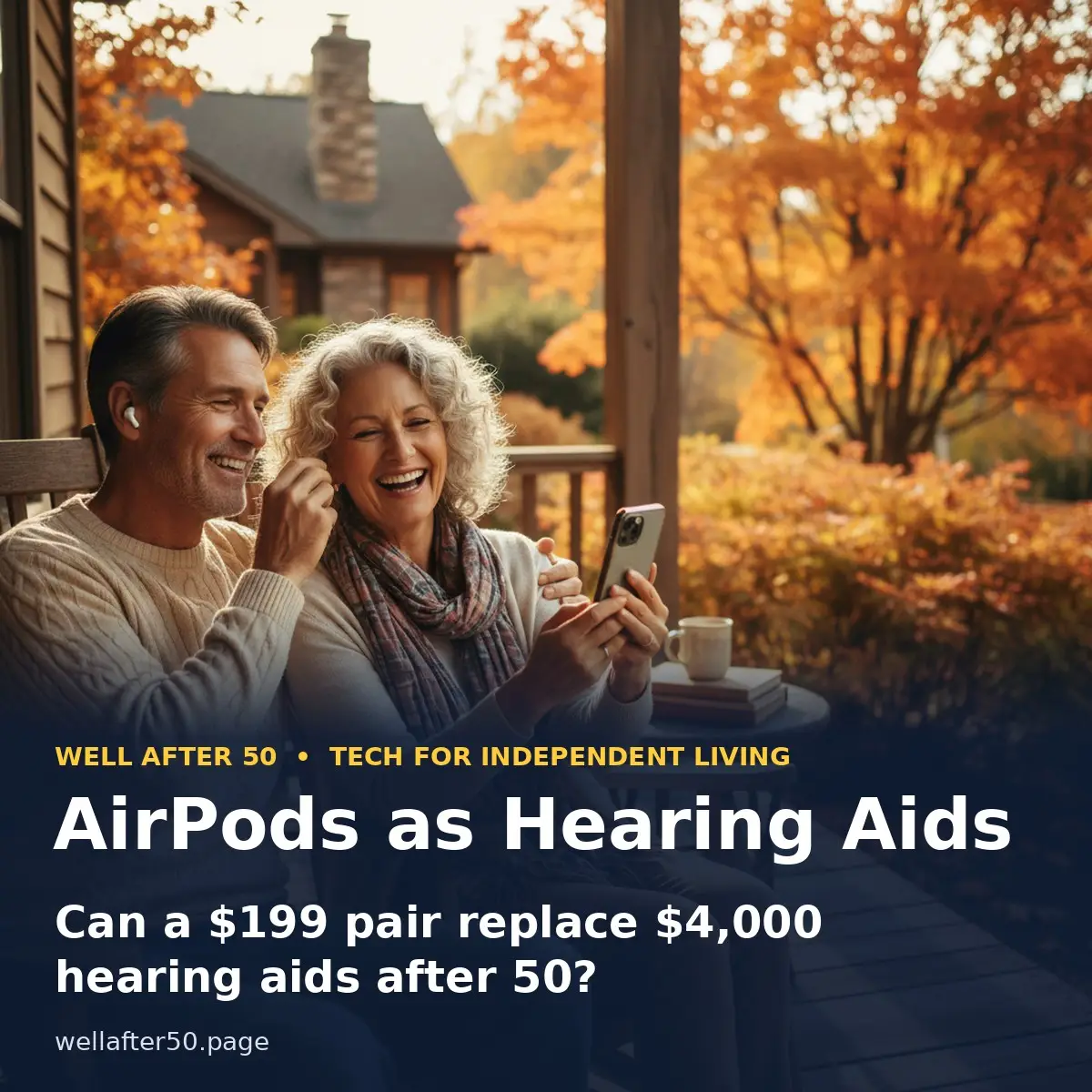
  • AirPods as Hearing Aids: Can a $199 Pair Really Replace $4,000 Hearing Aids After 50?

    AirPods as Hearing Aids: Can a $199 Pair Really Replace $4,000 Hearing Aids After 50?

    Can AirPods really work as hearing aids?

    Short answer: Yes, for some people. In September 2024 the FDA authorized Apple’s hearing aid feature as the first over-the-counter hearing aid software. AirPods Pro, at about $199 to $249, are made for adults with mild to moderate hearing loss, not severe loss. Hearing aids from an audiologist can run $4,000 to $7,000.

    Apple’s earbuds can now work as over-the-counter hearing aids, and they’re on sale for Black Friday. Here’s who they help, who they don’t, and what to check before you spend a dime.

    Most of us don’t like to talk about this one. Somewhere along the way, a lot of us started saying “What?” more than we used to. We turn the TV up a notch. We nod along at the restaurant table and hope we laughed at the right part.

    And when we finally think about doing something about it, we find out a pair of hearing aids from an audiologist can run $4,000 to $7,000. Original Medicare doesn’t pay for them. That’s enough to make anybody put it off another year.

    So when folks heard that a pair of Apple AirPods Pro can work as a hearing aid, and that AirPods Pro 3 are going for about $199 in early Black Friday sales, down from $249, a lot of ears perked up.

    Check today’s price on AirPods Pro 3 at Amazon

    I dug through the reviews, the studies and what the hearing experts are saying. Here’s what I found, for men and women alike.

    Can AirPods Really Work as Hearing Aids?

    Yes, for some people. In September 2024 the FDA authorized Apple’s hearing aid feature as the first over-the-counter hearing aid software. It runs on AirPods Pro 2 and AirPods Pro 3. Regular AirPods don’t have it.

    It’s made for adults with mild to moderate hearing loss. That’s the kind where quiet talk gets muddy, voices blur in a busy room and you keep asking folks to repeat themselves. It is not made for severe hearing loss.

    Here’s what you get:

    • A free hearing test. You take it at home with your AirPods and iPhone. It takes about five minutes and gives you a hearing chart you can show your doctor.
    • Hearing aid mode. The AirPods use your test results to turn up the sounds you’re missing, like voices, and leave the rest alone.
    • Hearing protection. They can turn down loud noise like a lawn mower, a concert or a ballgame crowd.
    • Regular earbuds too. Phone calls, music, audiobooks and TV straight into your ears.

    AirPods vs. Hearing Aids: The Real Costs

    Option Typical price Battery Who it fits
    AirPods Pro 3 About $199 to $249 About 8 to 10 hours in hearing mode Mild to moderate loss, iPhone users
    Other OTC hearing aids About $300 to $1,500 Most run 16 to 24 hours Mild to moderate loss
    Prescription hearing aids About $4,000 to $7,000 a pair All day Any level, fitted by a pro

    Prices come from 24/7 Wall St., the National Council on Aging and HearingTracker. They change with sales, so check before you buy.

    What the Hearing Experts Say

    I didn’t want to take Apple’s word for it, so I looked at what the people who test hearing aids for a living found.

    The good news. The audiologists at HearingTracker, Dr. Steve Taddei and Dr. Abram Bailey, gave AirPods Pro 3 a 4.1 out of 5. They said they can do the job as OTC hearing aids at a fair price. Jill Waldbieser at the National Council on Aging found they sound good in quiet places and make a fine way to try hearing help before buying real hearing aids.

    The not-so-good news. Tech writer Stewart Wolpin tested them for Techlicious and called them “still flawed” as hearing aids. In loud places, like a room full of people talking, they sometimes cut back the help right when he needed it most. Wind noise was a problem outdoors. And the settings were scattered across several screens, which he said would be hard on folks who aren’t comfortable with phones. HearingTracker’s testers had the same gripe about the settings.

    Pretty much everybody agrees on three things:

    • The battery won’t last all day. Plan on putting them back in the case for a while at lunch.
    • They’re easy to spot. Some folks don’t mind that. Earbuds are everywhere now. Others want something more hidden.
    • Fit matters. If they keep slipping, try the other ear tip sizes in the box.

    Why Your Hearing Matters More Than You Think

    This isn’t just about catching the punch line. Dr. Frank Lin, founder of the Cochlear Center for Hearing and Public Health at Johns Hopkins, co-led a big study called ACHIEVE, published in The Lancet in 2023.

    Across everybody in the study, hearing help didn’t make a big difference in memory and thinking over three years. But in one group of older adults who were most at risk, it slowed the decline in thinking skills by 48%. The researchers say that finding needs more study, but it’s worth knowing.

    Hearing also ties into getting out and staying connected. When it’s hard to follow a conversation, a lot of us quit going to the places where conversations happen. If that sounds familiar, I wrote about making new friends after 50 too.

    Who Should Try AirPods First (and Who Shouldn’t)

    They might be a good fit if:

    • You already use an iPhone.
    • Your trouble is mild, like soft voices, TV dialogue or busy restaurants.
    • You want to try hearing help without spending thousands.
    • You’d use them part of the day, not from sunup to bedtime.

    Skip them and see a doctor or audiologist first if you have:

    • Hearing that went away suddenly in one or both ears.
    • One ear that’s a lot worse than the other.
    • Ringing, roaring or buzzing in your ears.
    • Ear pain or dizziness.
    • No idea how bad your hearing loss is.

    That list comes from Dr. Devin McCaslin, director of audiology at Michigan Medicine. Those can be signs of something a doctor needs to look at. He also points out that 72% of men over 65 have never had a hearing test, so fellas, that one’s for us.

    And if you use an Android phone, these aren’t your best pick. The hearing features need an iPhone or iPad. An OTC hearing aid built for Android will serve you better.

    How to Turn On the Hearing Aid Feature

    Once your AirPods Pro 2 or 3 are connected to an iPhone with the latest iOS update, here’s how it goes, according to Apple’s own instructions:

    1. Put your AirPods in and sit somewhere quiet.
    2. Open Settings and tap your AirPods’ name near the top.
    3. Tap Take a Hearing Test. If you don’t see it, tap Hearing Health first. It takes about five minutes.
    4. Go back and tap Hearing Assistance.
    5. Follow the steps and turn on Hearing Aid.

    Already have a hearing test from an audiologist? You can use those results instead of taking Apple’s test.

    Ask a family member or a neighbor to help with setup if you’d like. I reckon there’s no shame in that. Better to have somebody show you twice than fumble with it for a week.

    Shopping Smart This Black Friday

    • Make sure it says “Pro.” Only AirPods Pro 2 and Pro 3 have the hearing aid feature. The cheaper regular AirPods don’t.
    • Buy from a real store. Fake AirPods are all over the internet, and they won’t have the hearing features. Stick with Apple, Amazon (sold by Amazon), Best Buy, Target, Walmart or Costco.
    • Check the return policy. If they don’t fit your ears or don’t help, you want your money back.
    • Look at your Medicare Advantage plan. Some plans give an allowance for hearing aids. Open enrollment runs through December 7, so it’s a good time to compare plans on Medicare.gov.
    • Got an HSA or FSA? Ask your plan whether OTC hearing aids count. Some do.

    The Bottom Line

    AirPods Pro won’t replace a good pair of prescription hearing aids for everybody. But for a lot of us with mild hearing trouble and an iPhone in our pocket, they’re a cheap, easy way to find out how much we’ve been missing.

    Like the old saying goes, an ounce of prevention is worth a pound of cure. Take that free hearing test. Even if you never use the hearing aid part, you’ll know where you stand. Then you can decide what to do next.

    Want more tools that make life easier after 50? Take a look at AI Tools for Seniors Living Alone and Best Free AI for Seniors.

    Other Voices Worth Following

    Dr. Frank Lin, founder of the Cochlear Center for Hearing and Public Health at Johns Hopkins and co-lead researcher of the ACHIEVE study.

    Dr. Abram Bailey and Dr. Steve Taddei, audiologists at HearingTracker, who test and compare hearing aids for regular folks.

    Jill Waldbieser, senior writer at the National Council on Aging, who reviewed AirPods as hearing aids.

    Stewart Wolpin, tech writer at Techlicious, for an honest look at where AirPods fall short.

    Research Sources

    Sturdy Years isn’t paid by Apple. This article has one Amazon affiliate link, so I may earn a small commission if you buy through it, at no extra cost to you. Prices were checked in early November 2026 and may change.

    Keep Reading

    Your Turn

    Have you tried the AirPods hearing test, or are you wearing hearing aids already? What helped and what didn’t? Tell me in the comments. Somebody reading might be on the fence and could use your two cents.

    About the Author

    Tom Green writes Sturdy Years. He was born in Pell City, Alabama, in 1962, and he’s a country boy and a true Southerner through and through. At 64, he shares practical research and everyday experiences about staying active, living well, and making the most of life after 50. He believes it’s never too late to keep learning.

    Tom is not a doctor, audiologist or tech professional. This article is for general education only. Talk with your doctor or a hearing professional about your own hearing.

    I’ve also mapped out more helpful tools on my Tech for Independent Living After 50 page.

  • 8 Amazing Technologies Changing Life After 50

    8 Amazing Technologies Changing Life After 50

    What new technology is changing life after 50?

    Short answer: Some of the most useful tech for life after 50 is already here: AI glasses that describe what’s around you, AirPods that can work as hearing aids, watches that call for help after a hard fall, phones that read tiny print aloud, smarter pill dispensers, glucose sensors and even robotic suits that help you walk.

    Imagine glasses that describe what is around you, earbuds that make conversations easier to hear, or a watch that can call for help after a serious fall. Technology that once sounded like science fiction is becoming part of everyday life.

    I’m 64, and what interests me isn’t owning the newest gadget. It’s whether something can help us hold on to independence. I don’t want to waste money on complicated products that promise miracles and end up in a drawer, either.

    So I looked at eight technologies that could make life after 50 easier. Some may already be on your phone. Others are expensive, specialized, or still developing. Here’s what they do, what the evidence actually supports, and what I’d ask before spending a dime.

    1. AI Smart Glasses That Describe the World

    Certain camera-equipped smart glasses can interpret visual information and describe signs or objects aloud. Compatible Meta AI glasses can also connect with Be My Eyes, which helps people who are blind or have low vision access sighted assistance. Be My Eyes explains its smart-glasses accessibility features.

    Technology journalist Victoria Song of The Verge explored how people with limited vision use the glasses in real life. That reporting matters more to me than a manufacturer’s demonstration: the value is what someone can actually accomplish.

    Before you buy: Not all smart glasses have cameras or support the same features. AI can misidentify things, and glasses are not a replacement for mobility aids. Find out which phone, software and subscription requirements apply, and be mindful of other people’s privacy.

    2. Earbuds That Can Help You Hear

    Some compatible wireless earbuds now offer hearing assistance. In 2024, the FDA authorized Apple’s Hearing Aid Feature for certain AirPods Pro models, intended for adults who perceive mild to moderate hearing loss. A clinical evaluation involving 118 participants supported its performance compared with professional fitting of the same device. Read the FDA’s authorization.

    It’s worth considering if you struggle to follow conversations in noisy restaurants or often ask someone to repeat themselves. But earbuds aren’t appropriate for every type of hearing loss, require charging and compatible equipment, and won’t suit everyone.

    What I’d do first: Get your hearing assessed, especially if the change is recent or worsening. Sudden hearing loss needs prompt medical evaluation. Check whether devices you already own have supported hearing features before buying something else.

    3. Fall-Detection Watches That Can Call for Help

    A compatible smartwatch may recognize a hard fall, ask if you need help and, under certain conditions, contact emergency services. Apple explains the limitations and setup of Fall Detection. That could be reassuring for someone who lives alone or spends time outdoors.

    I also pay attention to independent aging-technology analysts such as Laurie Orlov of Aging and Health Technology Watch, who examines the practical challenges of technology for older adults. It’s important to distinguish detecting a fall from preventing one.

    The catch: No watch detects every fall. Emergency calling can depend on settings, connectivity and battery life. Test the emergency-contact setup, consider whether a dedicated alert service is more suitable, and don’t let a gadget replace balance work, safe footwear or good home lighting.

    4. Your Phone Can Read Tiny Print Aloud

    One of my favorite ideas costs nothing extra if your phone already supports it. Apple’s Magnifier can enlarge nearby text, and compatible iPhones offer text-reading functions, including Point & Speak for certain physical controls. See Apple’s instructions. Android phones also have accessibility and text-recognition features, though the specifics differ.

    Think restaurant menus, hard-to-read packaging and controls on household appliances. Start with a familiar label and practice in good light. Camera-based text recognition isn’t always accurate, so don’t rely on it alone for medication doses or safety-critical instructions.

    5. Medication Dispensers That Do More Than Beep

    Automatic pill dispensers can organize doses, issue reminders and, depending on the model, notify caregivers. For someone managing several medications, that might reduce confusion. But an alert doesn’t prove someone actually swallowed a pill.

    Richard Caro and the Tech-enhanced Life team tested automatic pill dispensers in practical use. I especially like their approach of matching a device to the person’s needs instead of crowning one gadget the universal winner.

    Questions worth asking: Who refills it? Can it handle your medications and schedule? What happens if electricity or Wi-Fi fails? Does it need a subscription? A traditional pillbox and phone reminder may be plenty for some people; a pharmacist can help decide whether a more complicated system makes sense.

    6. Smart Homes That Make Everyday Tasks Easier

    Motion-activated hallway lights, voice-controlled switches and accessible thermostats can make life more convenient, particularly if mobility, vision or dexterity has changed. For some people, reducing unnecessary movement across a dark room is worth far more than an elaborate home-security package.

    Independent writer Mike Smith discusses accessible smart-home ideas at Clarejon, including lighting, sensors and the importance of keeping manual controls. I agree with that last point. If the internet is down, you should still be able to turn on a light or unlock your door.

    Start with one real problem, not a house full of gadgets. For monitoring systems, ask who can view your data, whether cameras are involved, what gets stored and how false alarms are handled. Convenience shouldn’t mean giving up privacy.

    7. Glucose Sensors That Show Patterns Between Appointments

    Continuous glucose monitors use a small sensor under the skin to estimate glucose in interstitial fluid over time. In 2024, the FDA cleared Dexcom’s Stelo as an over-the-counter option for certain adults who do not use insulin. Read the FDA clearance announcement.

    Seeing trends after meals or physical activity may be useful for some people managing diabetes. But that doesn’t mean everyone without diabetes needs to monitor every fluctuation. More numbers don’t necessarily translate to better decisions.

    Be skeptical of miracle claims. The FDA has warned against smartwatches and rings claiming to measure glucose without piercing the skin. Ask a clinician whether glucose monitoring is useful in your circumstances.

    8. Robotic Exoskeletons That Assist Walking

    Here’s where the future really starts to show. Robotic exoskeletons are wearable mechanical systems that can assist certain movements. Some are designed for rehabilitation or carefully selected people with serious mobility impairments, including some spinal cord injuries.

    This technology doesn’t simply restore ordinary walking. Eligibility depends on medical assessment, physical capability, device design and training. Many systems are expensive and require assistance. They are not an everyday solution for sore knees or weak legs.

    Still, I find it remarkable that engineers are working on ways to expand what some people can do physically. For most of us, ordinary strength training, fall-prevention work and physical therapy are much more accessible ways to stay mobile right now.

    Which Technology Is Actually Worth Your Money?

    Here’s how I’d narrow it down: if tiny print is the problem, explore phone accessibility first. If hearing is changing, start with a hearing evaluation. If you’re concerned about getting help after a fall, compare watch-based and dedicated alert options. If medications are complicated, ask a pharmacist about organizing them safely. If moving around the house is hard, begin with lighting and simple accessible controls.

    Then ask four questions. What specific problem does this solve? Can I operate it comfortably? What will it cost after subscriptions and accessories? And what happens if it fails? A good return policy matters, too.

    I also appreciate technology reporting that isn’t afraid to point out limitations. Victoria Song’s independent wearable-tech coverage, Laurie Orlov’s aging-tech analysis, Richard Caro’s hands-on dispenser comparisons and Mike Smith’s practical accessibility examples are worthwhile places to learn more.

    The Part That Excites Me Most

    It isn’t AI answering questions. It’s someone with low vision gaining access to information, someone hearing a conversation more clearly, or a person managing a complicated routine with less frustration.

    I don’t think getting older should mean automatically giving up the things we enjoy. Sometimes the answer is medical care or better habits. Sometimes it’s an adjustment around the house. And sometimes it’s a clever piece of technology that really does what it promises.

    Technology can’t stop aging. But the right technology may help us live more comfortably, confidently and independently. That’s progress worth paying attention to.

    Your Turn

    Have you tried technology that genuinely made life easier after 50? Maybe it’s a useful phone feature, hearing device, smartwatch or something I’ve missed. Tell me in the comments whether it was worth the money. Your experience could save another reader an expensive mistake.

    About the Author

    Tom Green writes Sturdy Years. He was born in Pell City, Alabama, in 1962, and he’s a country boy and a true Southerner through and through. He’s just a regular, laid-back 64-year-old who keeps things simple. He shares what he learns about skincare, fitness and getting older, and what’s working for him. He’s also the author of A Practical Guide to Getting Older Without Giving Up on Yourself. Tom isn’t a doctor. He reads up on the research and passes along what’s useful, plain and simple.

    Health note: I’m not a doctor. I’m a man in my 60s sharing personal experience and research. This article is general information, not medical advice. Health and safety technology should be discussed with appropriate healthcare professionals where necessary and should not replace emergency services or prescribed treatment.

    I’ve also mapped out some great tools on my new Tech for Independent Living After 50 page.